
A kosher desktop browser:
filtering built in, not an add-on
A browser with the filtering built into it, not an extension you can switch off. Multi-level filtering, forced safe search, automatic Shabbat mode and an admin password. No external extensions that bypass the filter.
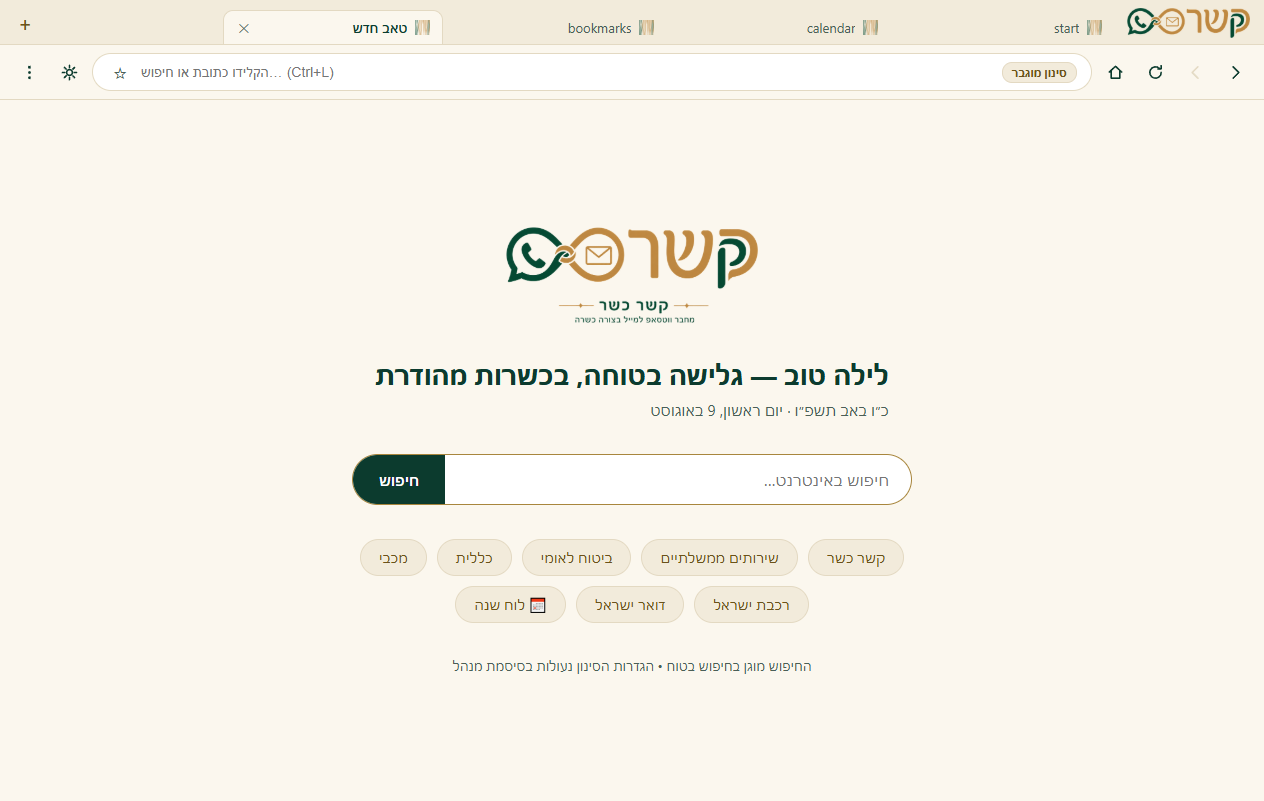
The filter is not installed on the browser. It is the browser.
See how it works
Start page, filtered browsing, a site approval request, and Shabbat mode. All in one browser.
An extension can be switched off. A browser cannot.
The filtering is built into the browser itself and locked behind an admin password. There are no external extensions to get around it.
You decide how closed it is
The admin picks the filtering level, and it is locked with a password. Adjustable for any home and any user.
Whitelist
Everything is blocked except the sites you approved in advance. The most protected setting, ideal for anyone who wants only a handful of familiar sites.
Enhanced
General browsing is allowed, with broad blocking of problematic categories. Reasonable freedom inside clear boundaries.
Open
Free browsing, but with safe search and the ad and tracker blockers still active. Never "no protection at all".
A full browser, kosher from the ground up
Everything you expect from a modern browser, without the loopholes.
Real-time filtering
Every network request is checked against the filtering engine before it loads. Fast, and with no dependence on outside settings.
Forced safe search
Search engines run in safe mode automatically, and it cannot be switched off from inside the browser.
Built-in Shabbat mode
From the start of Shabbat until it ends, browsing is blocked and a Shabbat page is shown, according to the real Shabbat times. On by default.
Site approval requests
A site you need got blocked? A button on the block page sends a request to the admin, who approves it with one click and the site opens.
Ad and tracker blocker
Built into the browser: fewer ads, less tracking, and cleaner page loads. No external extension required.
Night mode
A dark, easy-on-the-eyes display built into the browser, good for late hours and bright screens.
Hebrew calendar and start page
A clean start page with the Hebrew date, the day's times and shortcuts. Kosher and pleasant to open.
History, bookmarks and downloads
Everything a browser needs: history, bookmarks, download management, find in page, zoom, and tab restore.
Admin password
The filtering level, the approved sites and the settings are all locked behind a password. Only the admin can change them.
Why no external extensions?
In ordinary browsers, every extension you install can bypass the filter, and that is the most common loophole of all. The Kesher Kasher browser does not support external Chrome extensions, on purpose. In their place there are built-in, safe tools (an ad and tracker blocker, night mode), so there is no way to "install something" that reopens what was blocked. Kashrut does not depend on the user's self-discipline; it is built into the tool.
Ready to install?
The browser is available now, free, for Windows 10 and 11. Version 0.3.0, 83MB, and it installs without administrator rights.
Register →